Wednesday, April 15, 2015

Continuing with the Five Minds


Thank you Oliver for filming!


References

Gardner, H. (2008). Five minds for the future. Boston, MA: Harvard Business Press.


Tuesday, April 14, 2015

Wondering about Wells

Wondering about Wells (Discovery Board)

First off, anyone who does not have access to Discovery Education, please forgive me if the above site does not work. I will add the references this project used to the bottom of the post, in case you are interested in exploring.

This was my first time using the Discovery Digital Board. For the most part it was easy to use. I had some issues with spacing, and was disappointed that TedX videos were too large to upload. I also played around a bit with glogster, which has more options to make things interesting, but was also more confusing. To be honest, I am not likely to use either of these resources again as they require a paid subscription.

Some of the other applications we have used, such as smore and prezi, would work for a similar purpose, and were free. (I suppose the advantage of Discovery's Digital Board was that you could attach quizzes. I am more likely to you a writing prompt, and give students information on how I want that writing submitted.)

The basic idea of a digital board, I think is a useful one. I can see it being used by a teacher to introduce a variety of resources, in essence creating an online textbook. I can also see it being used by students to create their own presentations. I actually had both things in mind with my son’s well project. In my mind I wanted to introduce him to different angles of the problem, and give him some resources and tools to explore the issue. For his own work, I want him to be able to create a presentation which he can show other people when asking for donations.


One aspect which I believe Gardner (2008) would approve of is that my son had to look at different perspectives, encouraging not just compassion (which is a wonderful starting point), but eventually leading to respect and a more analytical approach. Part of developing the “ethical” mind was to look at situations in a more abstract manner, and really thinking about them. Hopefully, looking at these different perspectives helped my son do this.


References

Charity navigator [web page]. (n.d.). Retrieved from http://www.charitynavigator.org/


Ethiopian girls carrying water [photo]. (n.d.). Retrieved from https://www.flickr.com/photos/waterdotorg/3695895711/

Gardner, H. (2008). Five minds for the future. Boston, MA: Harvard Business Press.

Kelly, A. (March 2009). Money 'wasted' on water projects in Africa. Retrieved from http://www.theguardian.com/society/katineblog/2009/mar/26/water-projects-wasted-money

Mwenda, A. (June 2007). Aid fro Africa: No thanks [web video]. Retrieved from http://www.ted.com/talks/andrew_mwenda_takes_a_new_look_at_africa?language=en


Okonjo-Iweala, N. (March 2007). Want to help Africa? Do business here [web video]. Retrieved from http://www.ted.com/talks/ngozi_okonjo_iweala_on_doing_business_in_africa?language=en  


Seven water organizations you should know. (April 12th, 2013). Retrieved from http://www.goodnet.org/articles/1000

The water project [web site]. (n.d.). Retrieved from http://thewaterproject.org/clean-water-wells-in-africa 


Ugandan girl at well [photo]. (n.d.). Retrieved from http://commons.wikimedia.org/wiki/File:Ugandan_girl_at_well.JPG#filelinks

Wasik, J. (Nov. 7th, 2013). How to choose a charity wisely. Retrieved from . http://www.nytimes.com/2013/11/08/giving/how-to-choose-a-charity-wisely.html?_r=0

Why water [web page]. (n.d.). Retrieved from http://www.charitywater.org/whywater/

Saturday, April 11, 2015

Well Project


I love above talk by Chimamanda Ngozi Adichi (2009). She reminds us not to reduce people, even those we may be tempted to feel pity for, to a single story. People are more complex than that.


My teenage son has started his first job, proofreading papers, and wants to donate some of his pay. Having heard of Oxfam, he of course wants to contribute to one of their largest needs, building a well. Since this requires much more money than either of us will likely have anytime soon, this is an excellent opportunity for collaboration.


Our plans so far:

Research*

He needs to research what the need for wells actually is.

He needs to learn about how one evaluates various charities, how responsible they are with money, and how to evaluate their effectiveness.

He needs to decide which charities program he wants to work with, and learn more details about their well programs, which will include contacting them directly to learn about their program.

* I would not mind at all if in the course of his research, my son decides a different use of money, such as sponsoring a micro loan would be a better choice. The basic structure of this project would still apply.


Presentation

Once he has gathered this information, he is to create a digital way to present the information and collect money.

He can then present this information in person at our church (perhaps other places as well, but I’m not ready to think that far), and digitally to friends and family to request money for his cause.

He is also planning on knitting and selling items at our local Greek Fest to raise money.


Delivery

Then he presents the money to his chosen organization.


Follow up

He will need to notify and thank his benefactors that the money has been delivered both in person at the church (another presentation) and with a digital update.


Oh my, I am a bit frightened by the scope of this project, but if he can pull it off, it will be an excellent exercise in both leadership and collaboration. If anyone has resources to make this process easier for us, I’m all ears!


References


Adichie, C. (2009). The danger of a single story [web video]. Retrieved from http://www.ted.com/talks/chimamanda_adichie_the_danger_of_a_single_story?language=en

Oxfam International [web page]. (n.d.). Retrieved from https://www.oxfam.org/

Thursday, April 9, 2015

SOS on Strewing - Part 2 (Please also look at Part 1)

If for some reason you were not able to scroll through all of the Smore on part one, please click here.


The instructional strategy of Strewing, can work for any content, as well as giving students experience with natural objects, tools, art supplies, and instruments. One of the concerns that has been brought up in our class is that teachers find students lack motivation to learn. Personally, I feel students are not at their best when they feel forced to learn. They are at their best when they feel inspired to learn. Sadly, that feeling of being forced is increasing with the standardized testing mania, which is likely crushing chances for student’s motivation to learn for learning’s own sake.


The book, “Drive” by Daniel Pink (2011) gives an interesting exploration of what motivates people. One thing he found was that external  motivation (like grades) was helpful for routine, boring tasks. However, external motivation reduces performance on tasks which require higher level thinking. This means that while grades may be helpful for encouraging students to learn their multiplication tables, they are unlikely to encourage creativity, and may actually discourage it. If we want to build higher level thinking and creativity in our students, we need to encourage intrinsic motivation. I believe strewing to be an excellent way to accomplish this goal.


While the concept of strewing is commonplace in homeschool circles, the idea of incorporating digital media is not, although I am clearly not the only person to think of this! Strewing works when students have time to explore. It makes sense to strew where students like to spend time. This makes sense for their physical environment, and it makes sense for their virtual environment as well.  A side effect I hope to accomplish with digital strewing is to get my students familiar with going to positive places on the web. In a similar way families want to enculturate healthy eating habits in their children, I hope to create healthy browsing habits.
 
On a side note, this is the first time I have used Smore and it was very easy to use. My only snafu is that I found some lovely pictures from a blogger, which I asked for permission to use. Since she didn't get back to me, and I didn't see an public domain pictures I liked, I ended up taking my own. (Which is usually my first choice anyway, but I really like this blogger's pictures.)


References

 Fisher, M. (2015). Strewing Picture [photograph].

Pink, D. (2011). Drive: The surprising truth about what motivates us. New York: Riverhead Books

SOS on Strewing - Part 1 (Please also look at Part 2)


Monday, April 6, 2015

Technology and Creativity

For class, I needed to interview my students regarding the use of technology and it's place in the creative process. There responses follow:


Age 12:
“The artistic power that technology can offer. I don’t use 3-D software, but I do love to make pixel art. The razor-sharp precision that you can get with pixel art offers huge potential. I also play with vector-based art, which is good for animation, and can produce a fun cartoony effect, but I still like pixel better.
I wouldn’t change much in my learning environment, but I would like to learn how to use some of the 3-D drawing and programming software out there.”

(In discussion, he says technology and digital media is a huge factor in his creativity. However, he still enjoys simple doodling. He says it helps him think.)


Age 11:
“Cracking open cyberspace, conquering the digital world.”

(In discussion, he appreciates what technology he has but what would love more.)


Age 8:
“We have lots of fun stuff. We have tape and art supplies. We have comfy chairs and couches. We have a forest to play in.”

(In discussion, technology does not really factor into the creative life.)


Age 5:
“Well, I think it’s fun, interesting, and sometimes a little weird on the internet. Sometimes it can be a little too loud, and a little too quiet. That’s what I think.”
(In discussion, technology is used as an educational and entertainment tool, but is not really used much creatively. She is very sensitive, and sometimes has a bad reaction to stories, both in books and cartoons/ movies.)

Age 3:

(I didn’t ask him, but at this point he mainly uses technology for entertainment. Sometimes he acts out storylines he sees. He loves apps involving numbers, letters and words, although I don’t know how much he learns from them. I don’t really see a creative influence there.)

*****

Some notes...

About two years ago, my two older boys started using Scratch Programming. They both loved it. While they both program, they have found themselves drawn to different parts of the artistic process, and actually the programming process. One of my boys also really enjoys the social aspect of Scratch, and doing group projects. 

We also had a blast making digital movies my first year at Wilkes! We also used material from Common Sense Media to discuss digital safety and responsibility. Scratch has been a great testing ground for these issues.

This year, we have had a major technology upgrade, acquiring more computers. (Scarily, we're at about a 1:1 ratio, although each child doesn't necessarily have their "own" computer. This partly happened because the boys had a class where they were programming, so we had a sudden need for laptops. Before, all the kids could just share one desk top.)

While not directly related to technology, this year my kids have been spending more time writing for their creative projects. Thanks to the support from my Wilkes classmates, I was able to set up a family website, and then the oldest three set up their own. They don't always use it, but enjoy it when they do.

My oldest two definitely use computers more than my younger ones. I don't know if this is an age thing or a gender bias.

In the future, I see at least some of my kids creating with programming, and all of my kids using technology to create and share their artwork, digital movies, and writing. Ideally, I would like to use social media to connect them with others to share their interests as time goes on. My oldest is about to turn 13, and I am planning on getting him his own e-mail and feedly account at that point, so not everything will be seen through me. 


References

Digital literacy and classroom curriculum [web page]. (n.d.). Retrieved from https://www.commonsensemedia.org/educators/curriculum

Scratch [web page]. (n.d.). Retrieved from https://scratch.mit.edu/

Monday, March 30, 2015

Creativity in Schools


The above video is very popular in the homeschooling community, largely because we don't really have the problem of children not being creative, so it tends to make us feel good to watch it. Even in the most conservative, classically based, drill and kill homeschool, children have plenty of time to play... and create. They don't necessarily lose their creativity as they get older, in fact they get to be more creative with their life, with a higher percentage becoming entrepreneurs as adults (Sorry, I can't find where I saw that statistic before. However, here is an interesting blog post which muses about homeschooling and career choices.)


Does this mean I blame public schools for destroying creativity? Not necessarily, but I will say children need time to be creative. (Some inspiration in content and materials wouldn't hurt either.) Going to school during the day, avoiding the outdoors excepts for structured programs, and then plugging into digital media at night leaves little room for creativity. Schools can start to change this dynamic by giving students at least a portion of the day to explore ideas and have a bit more freedom, but they are not responsible for the societal environment as a whole. They can also change this dynamic by making assignments more complex and open ended. This may complicate neat rubrics and "standards", but will also give students a chance to go deeper and to new places, which their teachers may have never gone.

Currently, I am in a class on digital media, and there is a question about digital media and creativity. Giving students time to use digital media may enhance creativity, but I believe it to simply be a tool. Paper, crayons, instruments, a dance floor are also tools, and involve more of the body. While I think there are interesting tools in digital media, it would be a mistake to restrict students' time and exposure to primarily digital tools as a creative media.


References

Robinson, K. (2006). Sir Kenneth Robinson: Do schools kill creativity [web video]? Retrieved from: https://www.youtube.com/watch?v=iG9CE55wbtY

Trunk, P. (2011). Generation Z will revolutionize education [web post]. Retrieved from: http://blog.penelopetrunk.com/2011/03/30/generation-z-will-revolutionize-education/

Tuesday, March 24, 2015

Fractal Prezi


What I liked about the Fractal Prezi is that is gave me a chance to bring in various material which my students can explore on their own. In this particular case, I was more focused on developing a disciplined mind, giving students a chance to explore a topic. I tried to include resources which I thought would be helpful to not just learn the topic at hand, but might inspire exploration into other topics (such as TedX, and Vi Hart). I also included some easier material which would be more assessable to students, all the way up to material from university math departments. For an intermediate or advanced student, using materials from such a department can also start to make the university a familiar place, and help students envision their future participation in academic life. Lastly, I had a video which connected a math topic to the natural world, hopefully increasing both understanding and a sense of wonder to the world around students.
            At this point, I wasn’t focused on teaching synthesis, although a great way to do that would be to have the student create a rich, interdisciplinary, project. My oldest son and I are planning such a project. Much of this plan has nothing to do with technology. He wants to raise money to have a well built in a poorer country. However, to accomplish his goal, I am having him study several things: the issues around needing clean water, how to judge the efficiency of a charity in accomplishing its goals, and details from organizations in how they actually go about building wells. He then is planning on giving a presentation and holding a fundraiser. Again, part of that fundraiser will be low tech, such as selling things he has knitted and simply talking to people. But, part of that fundraiser will involve technology, as he can take what he has learned and create an online format to share what he has learned and even collect money. This is an expansive enough project that he will be required the take information from different sources and synthesis it. Creating an online component of his presentation will also give him a chance to reflect on the information he has gathered.


For more information about the concepts of disciplined and synthesizing minds, see:

Gardner, Howard (2008). 5 minds for the future. Boston, MA: Harvard Business Press.


Math History

Educlipper for math history

The link above goes to an educlipper, which could be again be used for a math club. One of the resources is actually for parents, three for high school/ middle school, and one may be appropriate for elementary/ middle school.

Notes on using educlipper:

This was the first time I used educlipper. I actually found it someone frustrating to use: it took awhile to figure out how to use it, some of the clips with downloads did not work, and the embed code did not work. When tested the web link did work, which is why I have that listed above.

Tuesday, March 17, 2015

Math Club Poster

Next year I am hoping to get a math club going for a multi-age group of mainly highly gifted kids. Some of these kids have fallen in love with concepts such as pi, fractals, or  Möbius strips since preschool. For these kids, the club will seek to introduce them to new problem solving techniques, math characters and concepts from history, and a fair amount of math doodling. The students who have less experience will have a chance to be exposed to fascinating topics in math, play games, and make math related art. The goal for all students will be to enhance their love and understanding of math. 


The poster above seeks to help set the tone for the group. Often, I find kids who are interested in math topics, are excited, and want to share, but have a hard time finding peers who share their interests. Besides having a fun picture and quote, this poster can serve as a conversation piece, both about fractals and Edwin A. Abbott's book, Flatland (1992). Without any adult instruction given, this poster will hopefully get kids talking and sharing.


References

Abbot, E. (1992). Flatland: A romance of many dimensions. USA: Dover Publications.


Friday, December 5, 2014

Education in the Maker Movement


Thank you everyone for a wonderful class! 
Here is my project video about the maker movement in education:


Resources accompanying this video can be found below. Please click "Read next page" at the bottom so you can see all of them. You wouldn't want to miss out on "Sylvia's Super-Awesome Maker Show"!


Wednesday, November 26, 2014

Update on "This was a bittersweet assignment for me."


On Tuesday, my boys just started a STEM class led by Mike Murphy. Mike is a homeschool Dad who just graduated his 16 year old son off to Brown University. His son, Ben Murphy, is the the one who taught the class last year which introduced my sons to Scratch (a programming language for children, developed by MIT) last year. So, I was super excited for my sons to learn more. In the first class, my sons were able to use Makey Makey to make joysticks for the computer. This is exactly the type of technology I would love for them to be exposed to and feel a bit intimidated to do myself.

The point of all this, is that I now really need laptops in a hurry. One son was able to use my lap top, but the other one was stuck.

Since my last post, I read an article about codestarter.org using chromebooks to teach kids programming. They made it work by wiping out the operating system of the chromebook and installining linex (which is free/open source). They then donate these machines to low income children who are interested in learning to code. I sent the article to my husband, who could see the advantages but is concerned with the fragility of chromebooks and most laptops.


What my husband really likes is toughbooks, a laptop built to military specification. They are strong enough to withstand being driven over. However, toddlers are still able to destroy them by ripping off the keys, which can sometimes be fixed, sometimes not. (Ask me how I know this, I dare you!)

While expensive new, inexpensive toughbooks can be found. We have ordered three, two for the boys (about $235 & $400) and one for my husband (a newer model for $1000). The older toughbooks have an old windows operating system which is longer supported, so the plan is to wipe it out and then install linux. He has done this with the first computer & successfully got Scratch going. His blog post on how this worked is here. My husband's computer has a newer operating system which he needs to run some of the translation software (mainly Trados) which he uses. (His last laptop recently died, so he also needs another computer. Especially as we sometimes lose power & internet, so he occasionally needs to be able to take the laptop into another town to work on assignments.)

On other fronts, I have a friend with a raspberry pi which was played with for awhile and is now sitting gathering dust. So, it may be coming our way.

Just wanted to share our tech adventures.


Here is a fun ad, but remember, toughbooks can be destroyed by toddlers!


References

"CrunchGear.com - Running over the CF-30 Toughbook with a Truck" 
[you tube video]. Retrieved from: https://www.youtube.com/watch?v=41lXVKSTOGQ

Fisher, Mathew. " Ubuntu 14.04 + Scratch Offline Editor on a Toughbook CF-29". [web article]. Retrieved from: http://planetcubicle.blogspot.com/2014/11/ubuntu-1404-scratch-offline-editor-on.html

Preston-Werner, Tom. "How we turn $199 Chromebooks into Ubuntu Based Code Learning Machines for Kids" [web article]. Retrieved from: http://blog.codestarter.org/post/93985346780/how-we-turn-199-chromebooks-into-ubuntu-based

Makey Makey [web site], Retrieved from: http://www.makeymakey.com/

Linux [web page]. Retrieved from: http://www.linux.com/

Raspberry pi [web page]. Retrieved from: http://www.raspberrypi.org/

Scratch [web page]. Retrieved from: http://scratch.mit.edu/

"Toughbook 31 vs ATV" [video]. Retrieved from: https://www.youtube.com/watch?v=0n6mX8Q1waA

Toughbooks [web page]. Retrieved from: http://www.panasonic.com/business/toughbook/laptop-computers.asp

Trados [web page]. Retrieved from: http://www.sdl.com/products/sdl-trados-studio/


Saturday, November 22, 2014

Education and Gaming

I wanted to both share some games I have used, and some rabbit trails I have followed.

One of the most common uses of computer games is simply that of glorified flashcards. I realize that this is not considered a high level use of computers, and would not be very interesting to students for long periods of time. However, when basic facts need to be memorized, as in learning multiplication tables, they can be useful. Some programs I have used for multiplication memorization include: the CD that comes with the School Zone workbooks (ages ago!), BigBrainz (online), and Mt. Multiplis (ipad app). I particularly like Big Brainz as it adapts the questions to put an emphasis on what the students has been struggling with. It also has great graphics which my kids appreciate. What one of my kids didn’t like was that the themes were more “boyish” and the pressure of the questions being timed. The same student likes Multiplis, which is nice in that it demonstrates how multiplication works and is less pressured. However, it doesn’t look like a program which will ensure mastery of multiplication facts, just exposure. Currently, I have an eight year old working on Mt. Multiplus and I may switch her to Big Brainz when she is done.


When researching this topic, I came across a teacher, Ananth Pai , who has used computer based programs extensively with his third grade class. Again, I realize this is considered a “lower level” use of games, but it has clearly been a way to make sure those basics get done. He has an extensive website of the games he uses, which I thought might be helpful for others. I also noticed he uses Big Brainz, as I do and games from BBC’s bite size site. BBC has a huge number of educational games which are worth checking out.

In her video, “Games in Education”, Sylvia Martinez, mentioned that a higher use of games is to teach students how to create them. My two older children have done this with Scratch, and it has been a wonderful experience. For this blog, I also looked over Gamestar Mechanic, which focuses on teaching game design without requiring programming. After looking over the teacher materials and reading reviews, I think while this might be a fun application to use, it wouldn't be educationally worth my time to have my students spend their time working on this instead of Scratch. (It sounds like some teachers like to use Gamestar Mechanic before Scratch. My only concern with this is that Gamestar Mechanic looks so flashy, and easy to use that I don’t know if that would demotivate students from learning something more difficult and less flashy). As it is, I am trying to get my two older students to spread their wings a bit beyond Scratch and learn professional programming skills. They have been working a bit on C++ with my husband, and I just ordered them "Beginning C++ Through Game Programming" by Michael Dawson (2014) , as an encouragement. It is a big jump from Scratch to another language, but fortunately they have a mentor available.

For my eight year old, Scratch may be a little too advanced. She can create pictures, sprites, stamps, and make patterns. She hasn’t figured out how to go beyond this. She has played a bit with Scratch Junior, Daisy the Dinosaur, and Cargo Bot (all ipad apps). Scratch Junior has not really interested her. Daisy the Dinosaur was fun, but she worked through it quickly. There was no room for growth. Cargo Bot is actually an interesting little app. You have to program the crane to move boxes, and there is some logic involved. I was thinking about what scaffolding would be necessary to get her more fully ready to engage in Scratch and I found a lovely set of resources at code.org. They have lesson plans starting at the Kindergartener level and looking them over I think they are very age appropriate. The only down side is that they will require the time of a mentor. It’s not something you can set the kid down at a computer and let them loose. In my case, I presented the material to my 12 year old and explained that for each lesson he helped his little sister on, they could both have a computer turn to do what they want afterwards. He’s interested.

Back to Gamestar Mechanic, they have a good point that there is more to video game creation than programming. When looking, I found a variety of (mainly) free resources, which would be helpful to a teen or adult wanting to learn more about game creation an/or gamification:

http://education-portal.com/articles/8_Free_Game_Design_and_Development_Courses_and_Resources_Online.html


Resources


"8 Free Game Design and Development Courses and Resources Online" [web page]. Retrieved from: http://education-portal.com/articles/8_Free_Game_Design_and_Development_Courses_and_Resources_Online.html

BBC Bite Size [web site]. Retrieved from: http://www.bbc.co.uk/education

Big Brainz [web site]. Retrieved from: http://www.bigbrainz.com/

Cargo Bot [web page]. Retrieved from: http://twolivesleft.com/CargoBot/

Code [web site]. Retrieved from: http://code.org/

Coursera Gamification Course [web page]. Retrieved from: https://www.coursera.org/course/gamification


Dawson, Michael (2014). Beginning C++ Through Game Programming. Boston, MA: Cenage Learning PTR

Games in Ed Resources [web site]. Retrieved from: http://gamesinedresources.wikispaces.com/home


Gamestar Mechanic [web site]. Retrieved from: https://gamestarmechanic.com/


Lynda Gamification of Learning [web page]. Retrieved from: http://www.lynda.com/Education-Higher-Education-tutorials/Gamification-Learning/173211-2.html

Mind Leap [web site]. Retrieved from: http://www.mindleaptech.com/apps/daisy-the-dinosaur/

"School Teacher Ananth Pai Brings Video Games to the Classroom" [video]. Retrieved from: https://www.youtube.com/watch?v=e6KCgZY-7HU&app=desktop

Scratch [web site]. Retrieved from: 
http://scratch.mit.edu/

Scratch Junior [web site]. Retrieved from: http://www.scratchjr.org/

School Zone Workbooks [web site]. Retrieved from: https://www.schoolzone.com/best-kids/workbooks

Teachly [web site]. Retrieved from: http://www.teachley.com/mt-multiplis-app.html


Team Drill Head [web site]. Retrieved from: https://sites.google.com/site/teamdrillhead/home


Thursday, November 20, 2014

Deja Vu and Flipped Classrooms


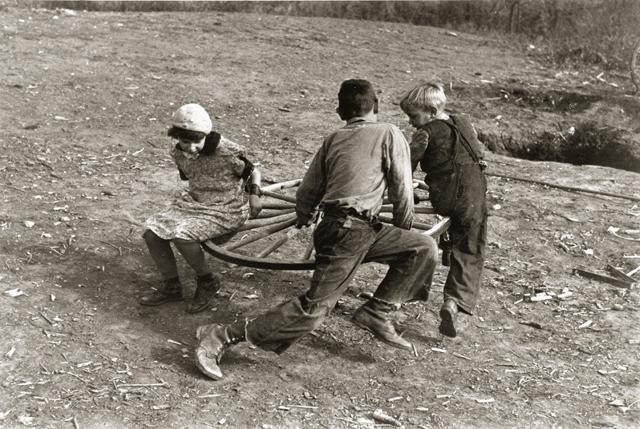
Homemade-merry-go-round.jpg ‎(640 × 429 pixels, file size: 69 KB, MIME type: image/jpeg)From USDA, http://www.usda.gov/oc/photo/01di1370.htm


When I first heard about flipped learning, my thought was, wait, I've done a variation of that before, but I didn't know what it was. So, a story...


About eight years ago,  I lived in Northwest Indiana, I came across a group called HS Life.This group had been started by Karen Sellers, who had moved from the Indianapolis area and wanted to re-create the dynamic opportunities for homeschoolers which she had previously known.The group started with field trips. The main requirement of membership was that each member planned a yearly field trip.One of Karen's many strengths was an insistence that instead of one person doing all of the organizational work, each person should contribute. She was very gentle and flexible in how each person contributed. This was a wonderful model which served the organization well as it expanded.

When I joined, I craved more group time and started the process of convincing parents to start a co-op. First, I started small, with art classes and holiday cerebration on a monthly or bi-weekly basis, my favorite being a Chinese New Year Celebration as a fast food play place. One of the main goals of these get togethers was simply to get used to meeting. Talking with parents, I bounced the idea of a co-op around, and one of the moms mentioned a need for more of a focus on history. We talked about the possibility of using Story of the World (2006) by Susan Bauer, as a basis for a co-op, and we put the plan into place the following year.


Some of the advantages of using Story of the World as a base text, were: the chapters are short and pleasant to read, activity guides have already been made which teachers could use when needed, and it is a four volume set which the group could take on at the rate of one volume a year.


In planning the co-op, I was juggling not just various ages, but variations within each age groups. What I decided to do was have the academic material be covered at home. I made a schedule of what topics were to be covered each week, and explained that it didn't matter how they were covered. They could do the assigned readings or different ones about the same topic. This gave parents the opportunity to differentiate as needed. One family got an audio recording which they could listen to in the car. 


Meanwhile, in the groups, parents took turns presenting hands on activities which related to the time period studied. Mock Archaeology digs, henna painting, lots of cooking, and art projects were included. We also had a guest speaker come and talk about his trip to Egypt and went on a field trip to the Oriental Institute. I had various guides for parents to plan ideas, but also gave them room to come up with their own. This gave a nice balance to hand holding those who needed it and giving freedom for those who didn't. All parents were expected to take turns leading activities.


One of the advantages of doing the hands on activities in class is that those are exactly the types of messy, demanding activities which parents often don't want to deal with at home, but still want their children to do. (Also, if you're going to go through the work of doing such an activity with your own kids, you might as well share it with others!)


Time for lunch was included which gave parents a time to socialize and brain storm. We also set up quarterly academic fairs. It was a wonderful experience, and the group has greatly expanded their offerings since I was there. I am very proud of what they have done.


While I think we had a good design, the only reason the co-op worked was because of people involved. Hollina Lischalk took over HS Life in general, while I was the main organizer for the co-op. Hollina is an engineer and used her way of thinking to re-organize the websites so they more functional. She is also a boundless source of can do attitude and good cheer. Carol Chesak had been a high school physics and math teacher before leaving to meet the needs of her two gifted kiddos. (One of which is going to college next year, sigh...) She is brilliant, sweet, pragmatic, and a little hesitant about getting in over head. In consultation with her, we decided to divide the group into two basic age groups. She was the main teacher/ organizer for the older group and I took on the younger group. She also took over the organization as a whole after Holli and I moved on and has proven an excellent leader. Close at her side was Christine Maloney, who loves creative projects, gardening, and cooking. She also knows how to get kids to clean. By my side was Holli, helping my with the littles. We also had other wonderful parents involved, each with their particular gifts.


Some clear differences exist between what I experienced and what flipped learning is considered now. One difference is that my experience did not necessarily involve technology, although it easily could now as there are so many resources online available. The spirit of flipped learning is the same I think whether the material is covered in a low tech or a high tech way. (There was some tech involved as there was a yahoo group set up specifically for families to work together on the days they were not at the co-op). The other difference is simply the degree of parent involvement outside of the classroom. Because we had this, the material was differentiated for each child and there was an adult keeping the students on task at home. These were both positives, and I think a teacher working with younger children would definitely benefit from getting the parents involved. For older students it would be fairly easy for teachers to set up something similar to what we did, if they created an online list of various resources which students could choose from to study each topic.


One thing we missed is that we were teaching history appreciation more than history thinking. This could be fixed easily though, by integrating appropriate projects into class time which helped develop historical thinking. One of my favorite books right now in developing historical thinking is simply Thinking Like a Historian: Rethinking History Instruction (2008) by Nicki Mandell and Bobbie Malone.


OK, now that I've told my story, I can share what I learned from twitter. This is the first time I have used it, as I use my cell phone as little as possible. It's nice to see that it can be accessed from a computer. I set up an account, made my first tweet to no one. Unfortunately, I missed the live chat due to a dentist appointment (no cavities, yay!) Afterwards, I decided to look at:  

Here is this week's storify for on Flipping the Classroom with the wonderful Dr Dave Smith

I feel both annoyed by the shortness of the tweets which don't give me a clue about whether they are worth investigating and the length of the storify I just mentioned, which is 587 tweets long.

It does contain interesting leads, such as...

http://www.rsc.org/Education/EiC/issues/2013september/flipped-classroom-inverting-lectures.asp


tweeted from Anna Wood: http://learningfrome-learning.blogspot.com/2014/05/flipping-pedagogy-its-not-just-about-in.html


Once we get to the main part of the discussion, people share that flipping gives them time to do meaningful activities (which involve active rather than passive learning) in the classroom.
Anna Wood mentioned that she used peer instruction. Will Haywood says he uses flipping to make sure than only the students who need it are required to cover particular content.

I like Sam Lancaster's advice later on, "Don't flip because it's trendy. Flip because lecturing doesn't work and you need time for something that might. "

He also explains that an easy way to flip is to record your lectures one year and use them in a flip the next.

From both my own experiences and those of the chat, I think the biggest challenges to flipping are preparation (which just takes work) and getting everyone on board. Flipping doesn't work if students won't actually do the work before class. However the strength of flipping is that it gives an opportunity for students to own their learning (and ideally differentiate) and have a rich class experience with peers.


References


Bauer, Susan (2006). Story of the World. Charles City, Virginia: Peace Hill Press. 

Flip Class Twitter Page [web page]. Retrieved from: https://twitter.com/search?q=%23flipclass&src=typd

HS Life [web page]: http://www.hslife.org/

HS Life Co-op [web page]. Retrieved from: http://www.hslife.org/?page_id=15

Mandell, Nicki & Malone, Bobbie (2008). Thinking Like a Historian: Rethinking History Instruction. WI: Wisconsin Historical Society.


The Oriental Institute [web page]. Retrieved from: https://oi.uchicago.edu/

USADA, Homemade-merry-go-round.jpg ‎[picture], Retrieved from: http://www.usda.gov/oc/photo/01di1370.htm


Monday, November 10, 2014

This was a bittersweet assignment for me. I am totally psyched to find what I would “like” for my students: a classroom bundle of raspberry pi laptops with accessories  and an XO Kids Tablet for my kindergartner. However, this is beyond my budget right now. So, I will probably sit with the devices I have and wait for the prices to drop or the technology to improve (or save my pennies for next year).


A little background…

Last year, I actually spent quite a bit of time looking at options for my two, possibly three, oldest children.  Previously, most of my children’s educational needs could be met by sharing one desktop computer, as they tend to be doing different things anyway. However, that changed when my boys started taking a Scratch computer class, which meant that we ideally would have had at least two working laptops which they could bring to class.  This wasn’t really in our budget, but we received hand me down lap tops from family at various levels of functionality. We used those and one other laptop from the teacher during the class. We also could use laptops for presentations outside the house, and simply so they can program when we are out in places which bore them

At this time, my budget was probably $100 per child, and this really didn’t work. The new tablets, chrome books, etc., which were coming out at the time either didn’t support scratch at all, or made it painfully slow. I was excited by raspberry pi, which gives kids a chance to cheaply create their own computer. Not a lap top, but it would at least give us more work stations at home. However, it didn’t yet support Scratch, so wasn’t really worth it for us yet. So, I figured I would wait until either prices on new (working!) laptops came down, or for Scratch to be developed to work on cheaper devices (which they were working on).

So, with this week’s assignment, I can take a restock of both where we are, and where the technology & market is. At home, we are better supplied, as we have two desktops, one laptop, and an ipad the children can use with permission. We also have a camcorder, which they use for video film making, along with the ipad. The ipad seems harder to get the same quality, but safer for small children to use, so we use both. The ipad gets used for apps, the video & movies. In general, I find it more helpful with the younger children. The lap top I already have, is not ideal for them, as scratch gets laggy, and the sound only works with headphones. This means that we don’t really have a functional laptop if we want to make a presentation somewhere, although in a pinch I might be able to borrow my husband’s. They haven’t had a group class requiring lap tops this year, so they have been pretty much set. However, that could change at any moment. In fact, the older three started going to a writer’s group, where laptops aren’t required, but would surely be useful.

Alright, when I researched what was out there now, I found some exciting developments. First of all, from what I can tell from the search boards, chrome books and tablets still don’t work with scratch (although scratch junior now works on ipad, no one seems so interested in that though). One exciting exception is the XO kids tablet, which was created for one laptop program. Looking at it, it looks like it’s a different version of scratch, so I would probably not use it for my older kids as they are expanding their abilities and need more powerful computers, not less. For my younger kids, this seems like a great find though.

Next, I checked to see where raspberry pi was at. Yippee! Scratch is now supported. Of course, now I don’t really need more work stations in the house, although I would still love my guys to have the experience of building their own computer. I wonder how much of a pain it would be to just bring a desktop raspberry pi to places (it’s very small), and then I wonder if anyone has turned it into a laptop.

Bingo! Set to be released in May 2014, a company has created something called pi-top, which is a do it yourself laptop kit, using raspberry pi. Not really cheap, over the $200 mark, but educationally so very interesting. It gets better though, as that there is an add on kit which you can use for robotics. (So now I am very excited, because Lego Robotics is so very expensive and my kids would definitely lose the parts.Plus, I would prefer them to build a Robot in a more organic way than just using fancified legos.)


So that’s where we’re at. I’m guessing, we’ve spent enough on technology for this year. (one new desktop, and hubby’s laptop getting replaced). Last year, we got the ipad and digital camera which has been great fun. Perhaps next year, we can have the goal of raspberry pi laptops for the older kids, and we can milk it for all it’s worth, incorporating robotics into the curriculum.

Of course, who knows what next year holds….

As a side note, I like having different devices as they are good at different things. I can easily see how this could turn into a logistical nightmare. In some ways, having one (or two) new thing a year is kind of nice as you get to know the capabilities of what you have.


One question I have for everyone… When using different devices, having documents stored locally can be a bit annoying. While I’ve tinkered a bit with having documents on the cloud so they can be shared between devices, I haven’t made a total switch. I wonder if anyone here has made that switch and how the transition has worked for them?


References


"One Lap Top" [web page]. Retrieved from: http://one.laptop.org/

"Pi-top" [web site and video]. Retrieved from: http://pi-top.com/

"Pi-Top in CNET and TechCrunch" [video]. Retrieved from: https://www.youtube.com/watch?v=5U6JCqx7tuY


"Raspberry Pi" [website]. Retrieved from: http://www.raspberrypi.org/

"XO tablet" [web site]. Retrieved from:http://www.xotablet.com/